Welcome to the MagicPath Blog
MagicPath Team
Team

We built MagicPath because we believed design and code shouldn't live in separate worlds. Today, thousands of product teams use MagicPath to go from idea to interactive, production-ready React — without the handoff tax. This blog is where we'll share everything we've learned along the way.
MagicPath intro video
What makes MagicPath different
Most AI coding tools focus on developers writing code. MagicPath is built for product teams — designers, PMs, and engineers who need to collaborate on UI, maintain visual consistency, and ship fast.
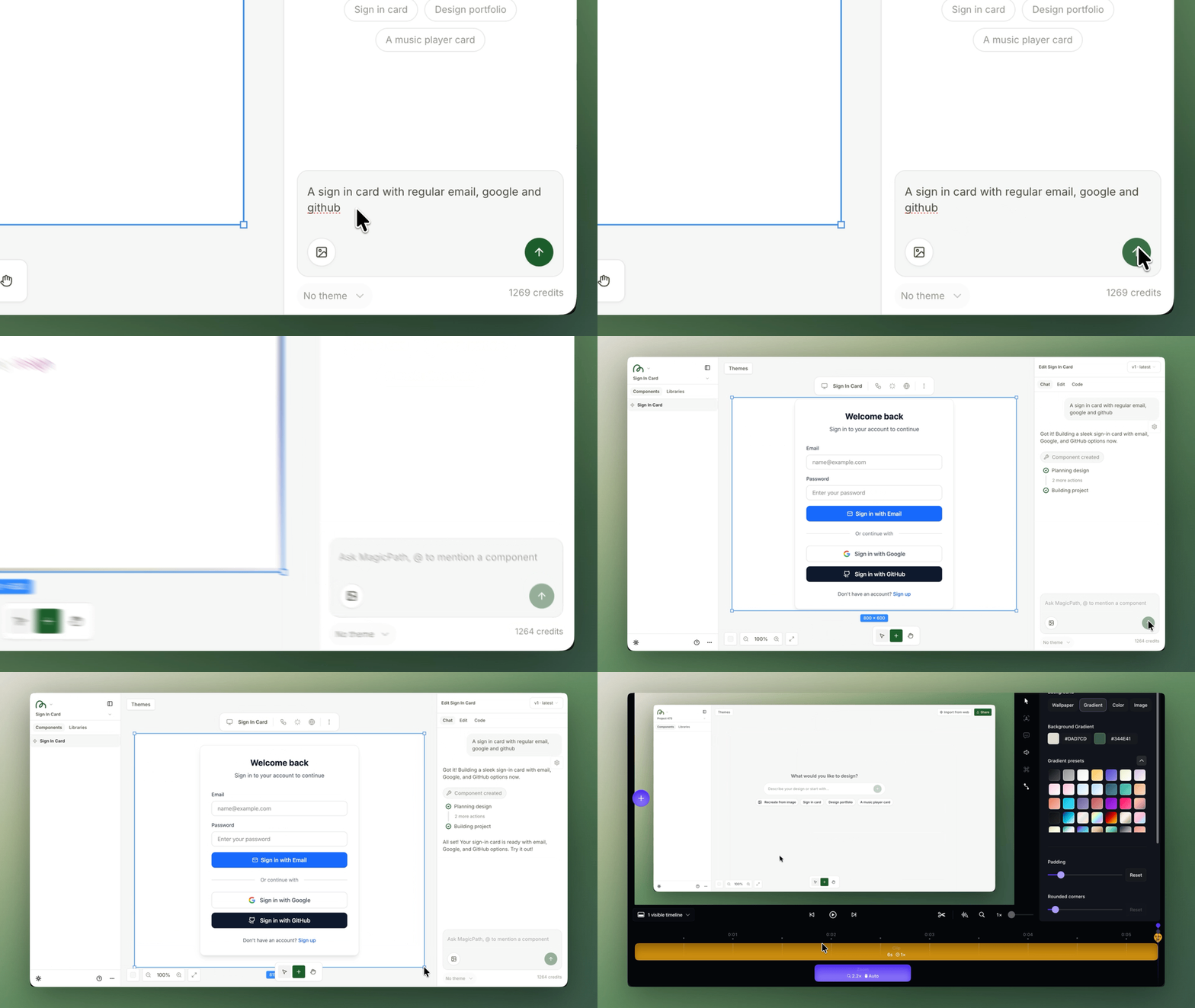
The core workflow is simple: describe what you want in natural language, and the AI builds working React components on an infinite canvas. Then iterate — through chat, through visual editing, or both. Every design is live, shareable, and exportable.
The features that close the loop
What sets MagicPath apart is that it doesn't just generate — it connects every step of the design-to-code journey into a single workflow:
Infinite Canvas
Organize components, pages, and entire applications on a visual workspace — pan, zoom, drag, and resize just like Figma.
AI Chat + Visual Editing
Iterate through conversation or directly edit layout, typography, colors, and effects with Figma-like controls. Both work on the same live component.
Figma Connect
Copy any Figma frame with Cmd+L, paste it into MagicPath, and the AI turns your static design into working React code.
Themes & Libraries
Create custom design systems with your colors, fonts, and rules. The AI follows them for every generation — no more off-brand output.
Variants & Flows
Generate multiple design alternatives with /variant, or create connected screen sequences with /flow — all from the chat bar.
Production-Ready Export
Every design exports as clean React code. Open directly in Cursor, download as ZIP, or copy individual files.
What to expect from this blog
We'll be publishing regularly on topics that matter to product teams building with AI:
- Deep dives— detailed walkthroughs of features like Mentions, Sketchpad, Web Capture, and more
- Tutorials— practical guides for designing landing pages, dashboards, and complex UIs with AI
- Comparisons— honest looks at how MagicPath stacks up against other tools in real workflows
- Community— spotlights on incredible work from MagicPath users and the processes behind them
Get started today
MagicPath is free to try. Create an account, type a prompt, and see what you can build. Check out our documentation for a full walkthrough, or follow us on X and Discord to stay in the loop.